Greenbet Application Guide
Most of us follow matches on our phones, not on a laptop. That's why the Greenbet app matters. It puts live scores, odds, slots and your account in your pocket. You won't find it in Google Play or the App Store, though. You get it straight from greenbet.gg, and setup takes about two minutes. Here's how to do it on Android and iPhone.
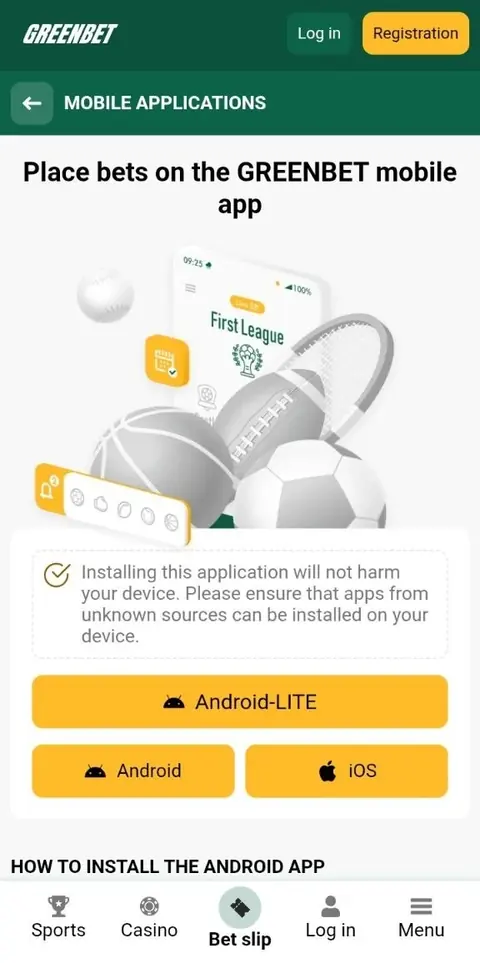
Greenbet App Overview
Greenbet offers two mobile versions: an Android app installed from an APK file and a web app for iPhone and iPad. Both work with the same account as the website.
The app gives you three main things:
- Live scores and odds that update as the match goes on.
- Quick access to your bet history.
- A big list of live matches to bet on.
You can also register, log in, pick your bonus and make deposits right in the app.
Android APK Version
On Android, Greenbet is a real app that you install from an APK file. An APK is the standard installation file for Android apps. Google Play uses the same format behind the scenes.
After installation, the Greenbet icon sits on your home screen. Tap it and the app opens straight into Greenbet.
iOS Web App Version
On iPhone and iPad, Greenbet works as a web app. A web app is a website saved to your home screen with its own icon. It opens just like a regular app.
The big plus is that it uses almost no storage on your phone. It also updates itself, so you never need to download a new version.
| Feature | Android | iPhone and iPad |
|---|---|---|
| Format | APK app | Web app |
| Where to get it | greenbet.gg | Safari on greenbet.gg |
| App store needed | No | No |
| Storage used | Small app | Almost none |
| Updates | New APK from greenbet.gg | Automatic |
Android APK Download
Download the Greenbet APK only from greenbet.gg. That's the only official source.
- Open the browser on your Android phone.
- Go to greenbet.gg.
- Find the mobile app page and tap Download.
- Wait until the file appears in your Downloads folder.
Your browser may show a warning about the file. Don't worry. Android shows this message for every APK from outside Google Play. Just check that the address bar says greenbet.gg before you confirm.
A tip for saving data: download the file on Wi-Fi if you can. Then you're ready to install without using your mobile bundle.
Android APK Installation
Android blocks apps from outside Google Play by default. You give your browser permission once, then install the file.
- Open Settings.
- Find "Install unknown apps".
- Choose the browser you used for the download.
- Turn on "Allow from this source".
- Go back to Downloads and tap the Greenbet file.
- Tap Install, then Open.
Every phone brand hides "Install unknown apps" in a different place. On some phones it's under Security, on others under Apps. The quickest way is to type "unknown apps" in the Settings search bar.
After installation, you can switch the permission off again. Greenbet keeps working. On the first launch, log in or register. Keep "Remember me" ticked on your own phone, and the app opens straight to your account next time.
iOS Web App Installation
On iPhone and iPad, you add Greenbet to your home screen through Safari. No App Store, no download.
- Open greenbet.gg in Safari.
- Wait until the page fully loads.
- Tap the Share button. It's the square with an arrow pointing up.
- Scroll down and choose "Add to Home Screen".
- Tap Add in the upper right corner.
One tip: don't rush step 2. Wait until the Greenbet logo and menu appear. If you tap Share too early, iOS may save a half-loaded page.
When you tap Add, the Greenbet icon appears on your home screen. Open it and the site loads without the Safari address bar. That's how you know it worked.
Device Requirements
Greenbet doesn't publish exact device requirements for its app. For a smooth start, check these basics.
| What you need | Android | iPhone and iPad |
|---|---|---|
| Browser | Any browser that can download files | Safari |
| Install permission | "Install unknown apps" allowed | Not needed |
| Free space | Enough for the APK and the app | Almost none |
| Internet | Mobile data or Wi-Fi | Mobile data or Wi-Fi |
| SMS | For phone signup and code login | For phone signup and code login |
If your Android phone is low on space, clear some photos or old apps before you install. A stable connection helps live odds update without delays.
App Updates
The iPhone web app updates on its own. On Android, you get a new version from greenbet.gg.
| Platform | How updates work |
|---|---|
| iPhone and iPad | Automatic, together with the website |
| Android | Download the latest APK from greenbet.gg and install it |
On Android, always take updates from greenbet.gg only. Files from other sites can be fake. Your account stays the same after an update, so you just log in as usual.
App Sportsbook Features
The Greenbet sportsbook in the app covers more than 1,000 events every day. Live betting runs 24 hours a day, with 30+ markets for most matches.
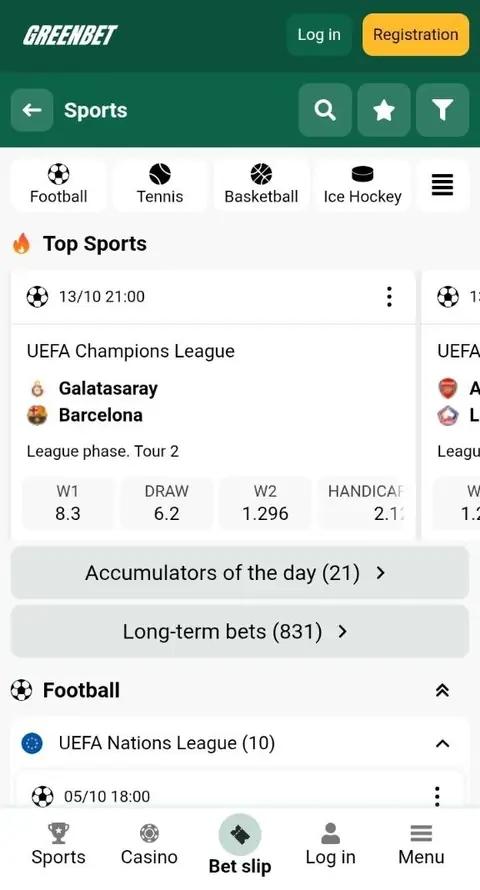
During the review, the Live section had 936 matches running at once. Football had 74, Table Tennis 39, Tennis 36 and Cricket 26.
Here's what you can do in the sportsbook:
- Follow live scores and odds as they change.
- Bet on corners, yellow cards, free kicks and other live markets.
- Build accumulators, singles and system bets.
- Check your current bets in My bets.
- See all past bets in Bet history.
Odds changes are easy to spot. A falling odd turns red with an arrow down. A rising odd turns green with an arrow up. A small lock means the market is closed for a moment, for example during a penalty or a set point.
App Casino Section
The casino section in the app gives you slots and live casino games. A search bar and Recent and Favorites filters keep your games close.
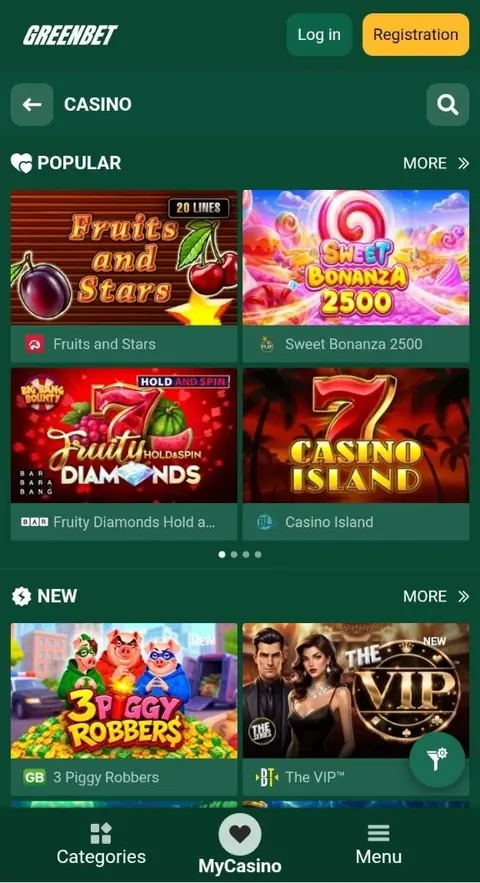
You'll find Popular and New collections. Providers include Evolution, Mancala Gaming, Red Tiger, Spinomenal, Aviatrix, KA Gaming and InOut. Evolution is known for live dealer tables.
Greenbet notes that the game list may differ a little between the computer and mobile versions. If you're looking for a specific slot, just use the search bar.
| Casino feature | What it does |
|---|---|
| Search | Finds a game by name |
| Recent | Shows games you played lately |
| Favorites | Keeps your saved games in one place |
| Providers | Filters games by studio |
App Payments
The app cashier works the same way as on the website. During the review, the Deposit page listed 37 cryptocurrency methods and the withdrawal page listed 22.
| Group | Examples |
|---|---|
| Major coins | Bitcoin, Ethereum, Solana, TRON, Litecoin |
| Stablecoins | Tether on Tron, BSC, Ethereum, Solana and TON |
| Other | Polygon, Cosmos Atom, GRAM, Dogecoin |
Greenbet also mentions betting shops and e-wallets. Options depend on your country.
Greenbet pays your winnings with the same method you used to deposit. So pick a coin that's available for both. Bitcoin, Litecoin and Tether on Tron are good choices.
Greenbet bonuses don't apply to cryptocurrency accounts. If you want your welcome bonus, choose a regular currency like KES at signup.
FAQ
Here are quick answers to the questions players ask most about the app.
Is the Greenbet app in Google Play?
No. You download the Android app from greenbet.gg.
Is the Greenbet app in the App Store?
No. On iPhone and iPad, you add the web app to your home screen through Safari.
Is the Greenbet APK safe to install?
Yes, when you download it from greenbet.gg. Avoid Greenbet APK files from other websites.
Why does the APK not install?
Usually "Install unknown apps" is off for your browser, or your phone is low on space. Fix that and open the file again.
Does the app have a separate bonus?
No. The app uses the same welcome bonuses as the website.
Can I use one account on the app and website?
Yes. One account works on the website, the Android app and the iPhone web app.